Physical Address
304 North Cardinal St.
Dorchester Center, MA 02124
Physical Address
304 North Cardinal St.
Dorchester Center, MA 02124

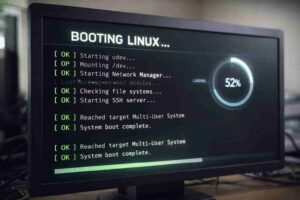
A just-enough deep dive into the Linux boot process
Ever wondered what actually happens behind the scenes when you press the “power” button on your computer? We are so used to this process that we never give it a second thought. However, in this post, I’ll try to explain how something that looks so simple on the outside is actually so complex and beautiful when you dig a little deeper.
The Linux boot process is a sequence of steps that takes our system from power-on to a fully usable operating system. When we press the power button, the Power Supply Unit (PSU) initializes and stabilizes its output voltages, while the CPU is kept in a reset state. In this state, the CPU’s internal state is initialized to a known condition, ensuring it can safely execute instructions when correct voltages become available. Once the voltages are within specification, the PSU sends the Power-Good signal, indicating that the system power is stable. At this point, the CPU is released from reset and begins execution from a fixed reset vector, which maps to the firmware code.
Firmware is a small piece of software that is stored on the motherboard’s non-volatile storage (ROM/Flash) and can be either BIOS (legacy) or UEFI (modern). These are the instructions that initialize and verify the availability of critical hardware components required to continue the boot process. It initializes the RAM, GPU, I/O, chipset, performs a basic device discovery, and sets up a minimal execution environment. The firmware’s next responsibility is to locate something that can continue the boot process – this “something” is the bootloader.
As mentioned already, the firmware can be either a BIOS or UEFI, and based on that, the process of locating the bootloader can differ. I won’t go into the details explaining how these two firmwares actually find the bootloader, but it would be worth mentioning that if it’s BIOS then it will look for a disk, reads the first 512 bytes (the MBR) off of it, checks for a valid boot signature and assumes the code found there knows how to continue the rest of the booting process. However, UEFI is a little different; it doesn’t read the MBR, instead, it requires a separate FAT partition of its own residing on the disk and looks for an EFI executable. In both cases, the firmware is effectively asking: “Which program should I run next to load an operating system?”
Once a suitable bootloader is identified – either via code in the MBR or an EFI executable- the firmware reads the bootloader, loads it into the RAM, and prepares the CPU state according to the firmware rules. This is a hard boundary in the boot process, where the firmware hands over control to the bootloader to take up the remaining responsibility of loading the kernel/OS. From this point onward, the bootloader takes control of the system. Although on UEFI systems, certain firmware services may remain available temporarily.
Currently, the most popular bootloader is the Grand Unified Boot Loader (GRUB), more specifically GRUB2. Ever powered up a Linux box and been greeted by an Operating System selection menu? Yeah, that is actually the bootloader screen.
The next major step in the boot process is the transfer of control from the bootloader to the selected operating system kernel. To do this, the bootloader first loads the kernel (/boot/vmlinuz) and the initramfs (/boot/initrd.img) into memory, prepares the environment for the kernel to take control, and then jumps to the kernel’s entry point. From this point onwards, there is no coming back to the bootloader, and the ‘kernel’ is in control.
Once the bootloader jumps to the kernel, the kernel starts to decompress itself and mounts the initramfs as root before continuing the operating system initialization. Here, a question can arise: Why do we even need something like an initramfs? When we already have the operating system kernel, why don’t we directly start the userspace programs? But the answer lies in the fact that architecturally, each stage exists because the previous one is intentionally limited. The purpose of initramfs is to provide a temporary userspace for loading storage drivers, locating the real root filesystem, mounting that filesystem, and passing control forward to the real root userspace. Once these tasks are done, initramfs removes itself from the picture and is discarded.
So, can we boot a Linux system without an initramfs? Practically ‘No’ but technically ‘Yes’, provided that the drivers are already baked into the kernel itself, which is highly unlikely.
Once the real root filesystem is mounted and the initramfs has exited, the kernel’s next step is to start the first userspace process. Now, this cannot be any userspace process; instead, the process should be one that can handle other orphaned processes, reap zombie processes, receive system-wide signals (shutdown/reboot), and must never exit. Because of this, the kernel requires a long-running and reliable process.
To help the kernel choose the right process, it follows a predefined lookup order:
init= kernel parameter (if provided)/sbin/init/etc/init/bin/init/bin/sh (fallback)In most Linux systems /sbin/init exists and is a symlink to systemd, so the kernel executes /sbin/init, assigns it PID 1, and the first userspace process comes into being. After the start of systemd we can say that the boot process is almost finished as systemd takes care of the rest of the initialization, and the starting of other userspace programs.
While systemd, running as the first userspace process, doesn’t replace the kernel, it simply coordinates the userspace with the kernel by performing the following tasks in sync with it:
A question can arise as to why we need to jump so many hoops before arriving at this point. The explanation for this is given below as to why this cannot be done earlier
| Component | Why it can’t do systemd’s job |
| Bootloader | No multitasking, no userspace |
| Kernel | No policy, only mechanisms |
| initramfs | Temporary, minimal |
| systemd | Permanent, supervised |
The reason systemd exists is because, the kernel avoids making decisions regarding userspace policies
After the kernel executes the /sbin/init and starts PID 1, it never directly starts another userspace process, and all future processes descend from PID 1. The system is now a fully usable operating system; the only thing that is left is starting the appropriate processes and programs that could handle the windowing, login, and graphical UI.
And this is the ‘Final-Handoff’.
Having a low-level understanding of how the Linux boot process works gives you an edge that can prove valuable when troubleshooting boot-related issues. Instead of doing the guesswork when troubleshooting boot-time issues, an informed diagnosis could be carried out, pinpointing the exact problem area.






I was searching the exact same thing for my college work. Thanks for the post 🙂