Physical Address
304 North Cardinal St.
Dorchester Center, MA 02124
Physical Address
304 North Cardinal St.
Dorchester Center, MA 02124

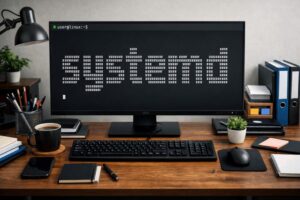
An overview of the Linux's System and Service Manager
systemd: The unseen engine that boots Linux system and keeps services in sync.
The first time I learned about systemd was when I read an article that, instead of explaining its usefulness and importance, focused mainly on why it is so controversial. I know this is not the best way to introduce it, but systemd has always been surrounded by controversy. However, in this post, I’ll try to stay focused on explaining how it works, and later, I’ll also go over why some members of the Linux community aren’t happy with it.
If you’ve used a modern Linux distribution anytime in the last decade, chances are systemd has been quietly running the show behind the scenes, but before I get started with explaining systemd, there are a few terms that need explanation to make understanding the functionality of systemd easy.
An init system initializes the system after booting and brings it into a usable state. In simpler terms, it’s the program that starts everything else on a Linux system. It is the first userspace process started by the kernel, which is responsible for starting, managing, and shutting down system services.
Some of the most popular init systems that Linux has used are listed below:
How systemd fits here: systemd is an init system for Linux systems that replaced older init systems, listed above.
A process is a running instance of a program, and a program can have multiple processes running simultaneously. Processes are how the OS tracks and manages the running work.
When we open a terminal or web browser, the OS creates a process to track and manage it. Each of these processes is assigned a unique number called a PID (Process ID). This PID is used by the OS to track and manage the process and control its lifecycle.
Amongst all the processes, PID 1 is a special process, because it’s the first userspace process that is started directly by the kernel during boot, and this process is responsible for starting other system services and managing them.
How systemd fits here: systemd is the first process to run in userspace with PID 1.
A service is a program that runs in the background, and the traditional UNIX term for these programs is “daemon”; therefore, these two are commonly used interchangeably.
The reason that such daemons exist is that some tasks must always be available without the users having to start them manually, for example, networking, logging, display services, etc.
How systemd fits here: systemd, although is a suite of different tools but for simplicity it could be understood as a service running in the background.
There are basically two execution environments in which programs are executed, viz userspace and kernel space.
Userspace programs can not directly touch the hardware; the communication passes through the kernel using system calls, and it’s the kernel that decides what is allowed and what is not.
How systemd fits here: systemd runs in the userspace not in the kernel space.
As we now have a basic understanding of the essential terms, it’s time that we begin our journey to understand what systemd actually is. Systemd is a comprehensive system and service manager for Linux, acting as the default init system (PID 1) to bootstrap userspace and manage processes. It provides advanced capabilities like parallel service startup, socket activation, and dependency management. It acts as a central hub for configuring and managing system resources and daemons
Before systemd became the default init system, Linux relied on traditional, script-based init systems. The most widely used of these was SysVinit. It used shell scripts for service management, which were executed sequentially, one after the other. A major drawback of this approach was that it made the boot process significantly slower.
Another limitation was dependency handling. Services often depended on one another, and it was the system administrator’s responsibility to ensure that startup scripts were ordered correctly. Failing to do so usually resulted in hard-to-diagnose boot problems.
Service supervision was another weak point. Once a service was started, it was generally assumed to keep running. If a service crashed, it would remain stopped unless an administrator noticed the failure and restarted it manually.
This doesn’t mean that older init systems were bad. They simply were not designed to handle the level of complexity modern Linux systems have grown into. These systems also followed the traditional Unix philosophy of simplicity – doing one thing and doing it well.
At the core of systemd’s design is the idea of describing system components and their relationships in a declarative way. Instead of relying on shell scripts and manual ordering, systemd uses units to define what needs to be managed, targets to group system states, and dependencies to describe how everything fits together.
This dependency-aware approach is a major reason systemd can boot systems faster and more reliably than traditional init systems.
[ OK ] means a specific service (like networking, display manager, or filesystem checks) started properly without errors.[ FAILED ] in red, often followed by timeout messages.dmesg or journalctl -b in the terminal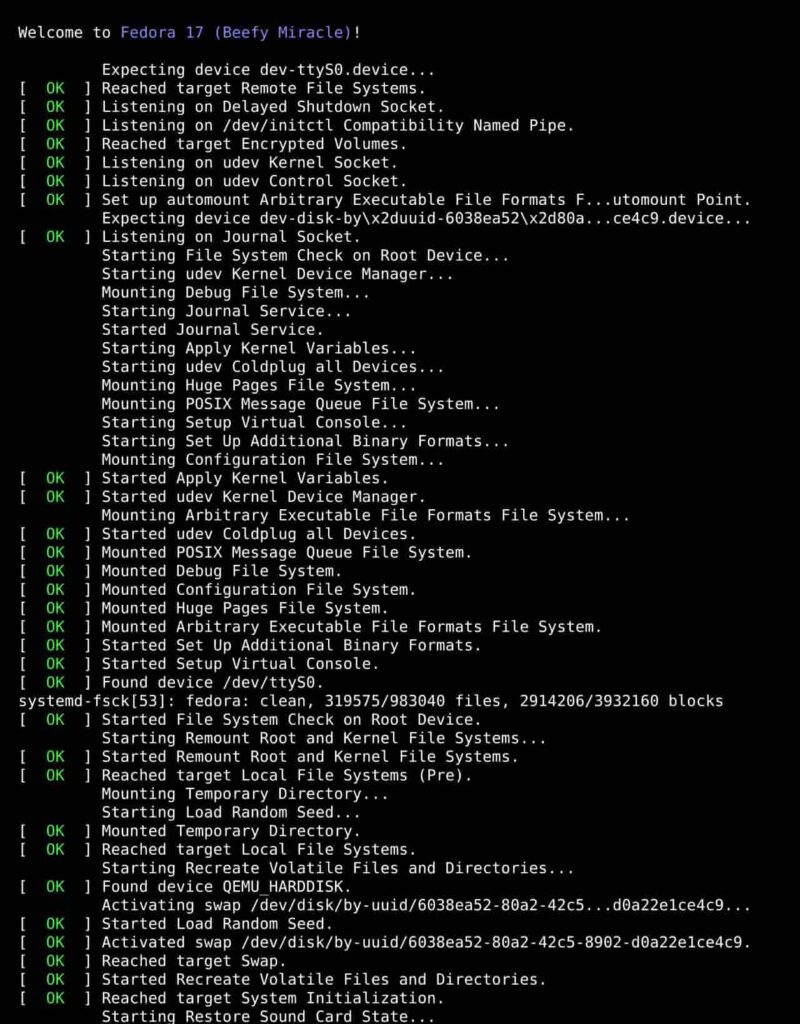
While systemd quietly does its job of managing services in the background, there are times when we need to start/stop/restart a service or want to know its status. That could be easily done using the systemctl which could be understood as an interface to systemd. Following are some simple examples that you can try out in your terminal
One of the most common tasks is checking whether a service is running and healthy
mohit@hyperfoss:~$ systemctl status sshTo start / stop a service:
mohit@hyperfoss:~$ sudo systemctl start nginx
mohit@hyperfoss:~$ sudo systemctl stop nginx
Restarting and reloading a service
mohit@hyperfoss:~$ systemctl restart nginx
mohit@hyperfoss:~$ systemctl reload nginx
Enabling or disabling a service:
mohit@hyperfoss:~$ sudo systemctl enable ssh
mohit@hyperfoss:~$ sudo systemctl enable ssh
Listing services:
mohit@hyperfoss:~$ systemctl list-units --type=serviceBehind the scenes, every systemctl command is interacting with service units and their dependencies. When you start a service, systemd automatically ensures that any required units are started first
It’s controversial not because it fails to do its work, but because of the design choices that it represents. UNIX philosophy is to do one thing and do it well, but systemd takes on a broader role, extending beyond an init system into areas like logging, networking, and session management. This increased scope introduces complexity and challenges. While many of these criticisms are philosophical rather than technical, they reflect a broader debate about how Linux should evolve as systems grow more complex.
Irrespective of the controversies that surround systemd, it has truly changed the way modern Linux systems boot. It manages services with such elegance that diagnosing boot problems and system errors has become really easy. In this post, I’ve tried to touch up only the most essential parts without going too deep, but if this subject interests you, then I would recommend checking out the official systemd page.